
Download Online TV Free Edition – Watch Live TV & Radio Streams from Around the World
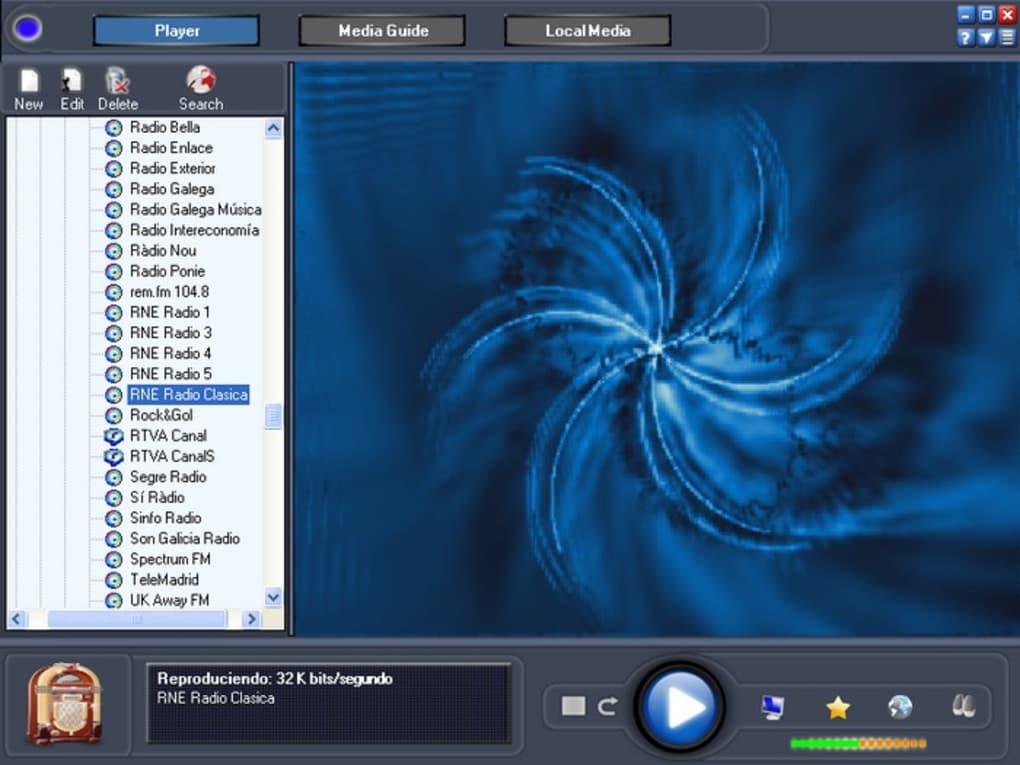
Experience the ultimate in online entertainment with Online TV Free Edition, a powerful yet free streaming tool that lets you watch hundreds of live TV and radio channels from across the globe. Whether you're into sports, news, movies, or international programming, this software brings your favorite content directly to your screen. With a clean interface featuring a TV player on the left and a customizable channel manager on the right, it’s easy to navigate and manage your viewing preferences.
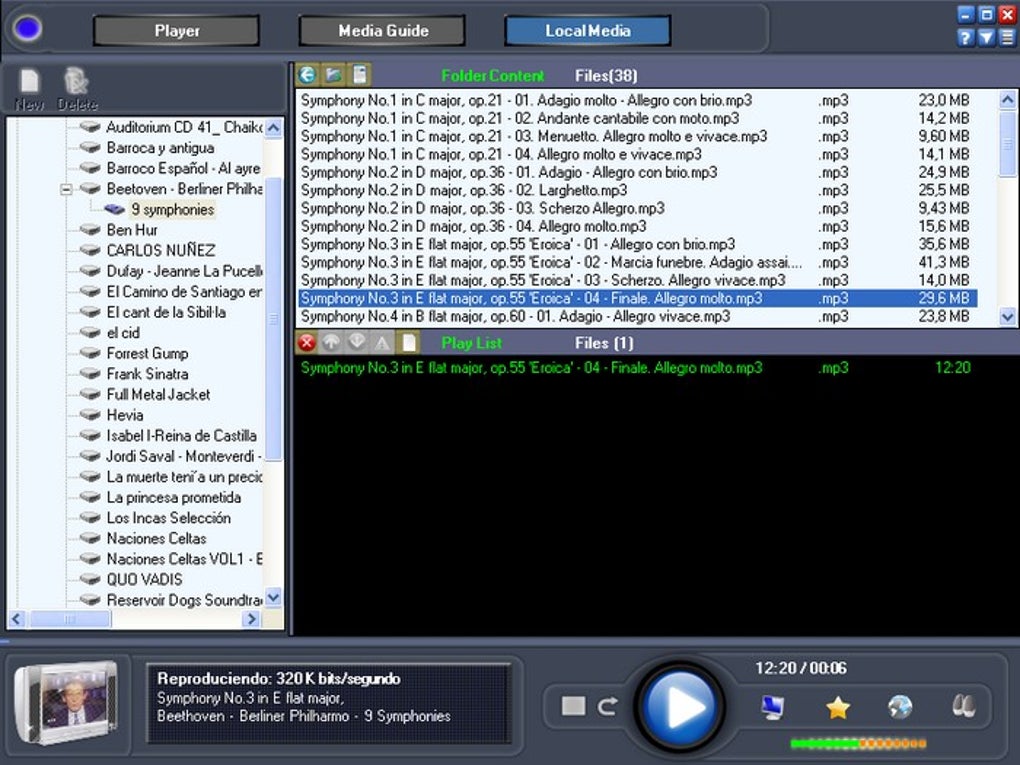
You can even integrate local multimedia files from your hard drive, making it a versatile media hub. The app supports a mini-player mode, allowing you to keep watching while working or browsing—perfect for multitaskers. Despite its impressive channel selection, some streams may be unreliable or slow to load, and the interface lacks real-time streaming feedback.
Still, for users seeking a free, feature-rich platform to stream live TV and radio, Online TV Free Edition remains a compelling option.
Key Features of Online TV Free Edition
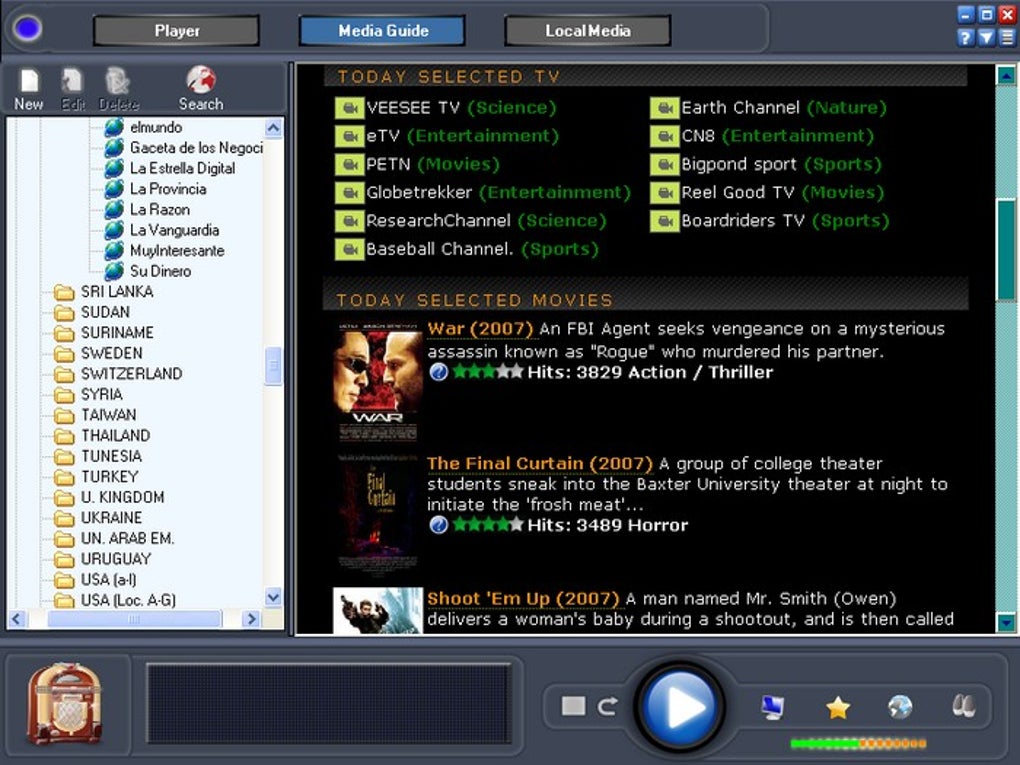
One of the standout aspects of Online TV Free Edition is its extensive library of live TV and radio channels. With access to hundreds of streams from countries worldwide, users can explore diverse content—ranging from local news and sports broadcasts to international dramas and music channels. The software is designed with usability in mind, offering a dual-pane interface: the main player displays the live stream on the left, while the channel manager on the right provides easy access to all available channels and even local media files stored on your device. This integration allows you to seamlessly switch between live broadcasts and personal video or photo collections, making it a multi-purpose entertainment tool.
Another notable feature is the mini-player mode, which minimizes the player to a small window in the top-right corner of your screen. This is ideal for users who want to watch TV while working, browsing the web, or managing documents. The mini-player remains functional and visible, ensuring you never miss a moment. Additionally, the app supports playback of photos—though the viewer quality is limited and not optimized for image viewing, so this feature feels more like a bonus than a core function.
Despite these strengths, the app’s performance can be inconsistent. Many users report that a significant number of channels either fail to load or suffer from buffering issues. The lack of a progress indicator during stream startup can be frustrating, with some channels taking over a minute to begin playing. While the software is free to download and use, it does require a stable, high-speed internet connection to deliver a smooth experience. Still, for those willing to experiment and troubleshoot occasional dead links, the sheer volume of available content makes Online TV Free Edition a worthwhile download.
How to Install and Use Online TV Free Edition
Getting started with Online TV Free Edition is straightforward and requires minimal technical knowledge. Begin by visiting the official download page and selecting the version compatible with your operating system—whether you’re using Windows, Mac, or a mobile device with Android or iOS support. The installation process is quick: simply run the downloaded file, follow the on-screen prompts, and allow the app to install without interruptions. Once installed, launch the software to access the main interface.
The first time you open the app, you’ll notice the dual-pane layout: the left side displays the live video player, while the right side houses the channel manager. Here, you can browse through categories like sports, news, entertainment, and regional channels. Click on any channel to start streaming. If you prefer to keep the player open while using other applications, click the mini-player button to shrink the window to a small, floating icon in the top-right corner of your screen.
For advanced users, the channel manager also allows you to import local media files—videos, music, or images—into your playlist. This is useful if you want to create a personal media library alongside live streams. However, keep in mind that the photo viewer is basic and not ideal for high-quality image viewing. To ensure the best performance, always verify that your internet connection is stable and consider restarting the app or updating the channel list if you encounter playback issues.
Compatibility & System Requirements
Online TV Free Edition is designed to be accessible across a wide range of devices and platforms. It supports Windows 7 and later, including Windows 10 and Windows 11, ensuring compatibility with most desktop and laptop systems. For Mac users, the app is available for macOS 10.12 and above, making it suitable for both older and newer Apple devices. Additionally, there are versions available for Android and iOS, allowing you to stream live TV directly from your smartphone or tablet.
While the software is free to download and use, it does require certain system resources to run smoothly. A minimum of 2 GB of RAM is recommended, though 4 GB or more will provide a better experience, especially when using the mini-player mode or streaming multiple channels simultaneously. A stable, high-speed internet connection is crucial—ideally 10 Mbps or higher—to avoid buffering and long loading times. The app does not require a subscription or registration, making it one of the most accessible free streaming tools available.
It’s worth noting that the app’s performance may vary depending on your network provider and geographic location. Some users in regions with strict internet regulations may experience blocked or restricted channels. In such cases, using a reliable VPN can help bypass geo-restrictions and improve access to global content. Overall, Online TV Free Edition is a flexible, cross-platform solution for anyone looking to enjoy live TV and radio without cost or commitment.
Pros and Cons of Online TV Free Edition
Pros
- Free to download and use with no hidden fees or subscription requirements.
- Access to hundreds of live TV and radio channels from around the world.
- Intuitive dual-pane interface with a customizable channel manager.
- Mini-player mode allows for multitasking while watching live streams.
- Supports integration of local media files (videos, music, photos).
- Available for Windows, Mac, Android, and iOS devices.
Cons
- Many channel links are outdated or frequently broken.
- Long loading times with no progress indication during stream startup.
- Photo viewing feature is basic and not optimized for image quality.
- Requires a stable, high-speed internet connection for smooth playback.
- Occasional buffering and playback issues, especially on slower networks.
Frequently Asked Questions (FAQ)
How do I download Online TV Free Edition?
Visit the official website and click the download button. Choose the version compatible with your operating system—Windows, Mac, Android, or iOS. Run the installer and follow the on-screen instructions to complete the setup.
Is Online TV Free Edition really free?
Yes, the software is completely free to download and use. There are no subscription fees or premium features that require payment. However, a stable internet connection is necessary for optimal performance.
Can I watch local TV channels with this app?
Yes, the app includes a wide range of international and regional channels. While some local stations may be unavailable due to licensing or geo-restrictions, many global broadcasters are accessible through the platform.
Why do some channels not load or buffer constantly?
Some streams may be inactive or overloaded. The app relies on third-party sources, which can go offline without notice. A slow or unstable internet connection can also contribute to buffering. Try restarting the app or switching to a different channel.
Does the app support photo viewing?
Yes, the channel manager allows you to view photos stored on your device. However, the built-in viewer is basic and not designed for high-resolution image display. It’s more of a supplementary feature than a primary function.
Final Verdict: Is Online TV Free Edition Worth It?
Despite its flaws, Online TV Free Edition remains a solid choice for users seeking a free, cross-platform solution to stream live TV and radio. The vast number of available channels, combined with a user-friendly interface and mini-player functionality, makes it a valuable tool for entertainment enthusiasts. While the reliability of streams can be inconsistent and loading times frustrating, the sheer variety of content often outweighs these drawbacks.
If you’re willing to troubleshoot occasional dead links and have a stable internet connection, this app delivers real value. It’s especially useful for travelers, expats, or anyone interested in international programming. For those looking for a secure, free, and easy-to-use streaming experience, Online TV Free Edition is definitely worth downloading.
Download Online TV Free Edition today and start exploring the world’s live broadcasts—no cost, no hassle, just endless entertainment.







